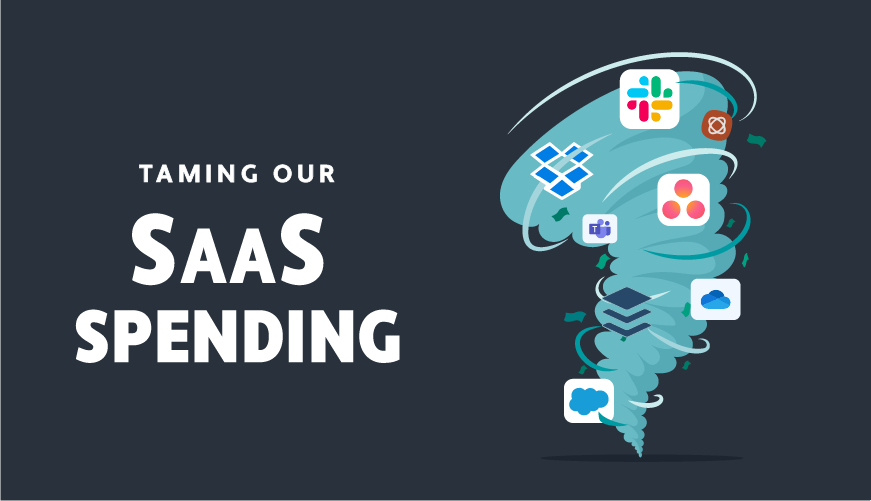
Scientific proof you can’t handle more SaaS/Mobile applications

Written by:amowat

Love new tools but don’t have the time?

If you are like me, every time a friend suggests a new cool online tool (SaaS software, web application, or mobile app), you quickly write it down to research later.  But, inevitably, after taking a quick peek at the website, that interest quickly fades.

I used to kick myself for not adopting every new tool I heard about.  I constantly asked myself, “Bob found this tool useful and he appears more productive that I am, why can’t I adopt it?”

There is a scientific reason

The simple scientific fact is that, like social relationships, there are only so many SaaS applications you can effectively manage on a regular basis.  In 1992, British anthropologist Robin Dunbar, studied social networks and found that a human can maintain ~150 stable relationships.

Further studies have shown that Dunbar’s Number remains consistent, even with the advent of social networks.  As another data point, Pinch Media, which tracks iPhone app usage, has shown that 30-days after an app is purchased, less than 5 percent of buyers continue to use it.

Want the power of these applications without the effort?

Through our team’s 100,000+ hours supporting Prialto members, we have observed the practices of senior executives and sales teams.   We estimate that a busy executive can manage 6 to 8 applications on a consistent basis.   However, there is a second tier of apps that executives need functionality from but can’t spare the time to use (i.e. expense management, CRM, social media monitoring..)

If you are like us and enjoy learning about new applications but fear adding another one to your processes, please take a minute to share:

  • The top apps you use regularly
  • Apps you would like to get value out of without using/learning

Productivity Applications 1-Minute Survey

About Prialto

Helping executives manage web-based applications is at the core of Prialto’s mission to deliver a turnkey productivity solution.   Prialto has built a database of applications and best practices for executive productivity.  If you would like to learn how you and your team can leverage global assistants to increase productivity, contact us at www.prialto.com or 866.910.8440

Sunday, January 22nd, 2012 Productivity tools No Comments

Tags: , , , ,

Which Edition of Salesforce Should I Get?

Written by:amowat

A great post from our friends at StarrForce:

Which Edition of Salesforce Should I Get

Which Edition of Salesforce Should I Get?

You’d like to get the edition that best meets your needs without buying more than you need.

You’re looking for the proper balance between price and requirements.

Want a simple explanation of which Salesforce Edition to get? Here you go:

Why purchase Salesforce Professional Edition rather than Salesforce Group Edition?

Salesforce Professional Edition does everything Group Edition does plus:
1. Can support more than 10 users
2. Offers mass email ability
3. Supports customizable dashboards
4. Has better support for AppExchange apps
5. Supports role hierarchy/sharing model (translation: in Group Edition there is no security among users, everyone sees all records)
6. Supports products, marketing campaigns, and offline edition
7. Supports the Mobile client

So if you don’t need one or more of these additional capabilities you’ll be fine with Group Edition.

If you haven’t already tried Salesforce you can get a free trial by clicking here.

Why purchase Salesforce Enterprise Edition rather than Salesforce Professional Edition?

Salesforce Enterprise Edition does everything Professional Edition plus has:
1. Profiles (the ability to support multiple departments)
2. API integration
3. Partner Portal support
4. Custom workflow, including assignment rules and auto escalation rules
5. Team selling
6. Record types
7. Customer portal support
8. APEX code

So if you don’t need one or more of these additional capabilities you’ll be fine with Professional Edition.

Note that its easy to upgrade your edition of Salesforce but not to downgrade:
1. Salesforce will allow you to upgrade your license type at any time.
2. But you can only downgrade a license type when your contract expires.

Want to know more about Salesforce Editions and licensing? Check out this post from the StarrForce blog Salesforce license types.

Need hep implementing Salesforce? Check out  Quick Start packages from StarrForce for more information.

Have a Salesforce question? Get free support: Twitter @starrforce


Wednesday, January 18th, 2012 Sales Strategies, Uncategorized No Comments

Tags: ,

Be interested in others so they can be interested in you

Written by:Eric Taussig

The professional services challenge

If you are a management consultant, venture capitalist, lawyer, accountant, IT firm, executive coach or any other service professional, you face the same challenge: How do you balance execution and client acquisition?

And, if you’re good at what you do, you in all likelihood are a better practitioner than salesperson. It’s the love of your craft that got you into the business, not your love for sales.  How are you supposed to build a relationship business with cold-calling techniques?  There has to be a better way!

The initial dead end

We recently worked with an executive coach who was having challenges in scaling his practice. His clients love him, but direct referrals alone couldn’t grow his business quickly enough.

The coach – I’ll call him Jim – spoke with Prialto about having us call target lists he was generating from his professional networks, but we advised him that the approach he’d outlined would not work. Three months later Jim came back to us: “Eric,” he said, I have a very professional productivity assistant (“PA”). She’s great. But I’ve NOT gotten one meeting arranged by her in three months. This is not working for me, and I need to change something.”

The problem wasn’t that cold calls don’t work, but that the premise for the calls was wrong. Jim’s PA was essentially making “cold calls” to strangers, and asking them to meet and talk with Jim about his practice. While nicely worded, it was clear to these strangers that Jim would be coming to talk about himself and to pitch work.

Unsurprisingly, they had no interest.  To cap it off, Jim himself didn’t enjoy direct selling.

From a chore to a passionate calling

We advised Jim to find something that he enjoyed in his work and focus his meetings and outreach around this instead. Jim had a passion for the problems that executives face and the more he learned about them the more valuable he became to his larger customer base.

Jim started a simple blog about these issues. His first postings were based on his, current clients. With their permission, he took a few thorny subjects he had helped clients on, scrubbed the personal information, and wrote about them in a clean direct format.

His PA then began calling the same list that had been ignoring Jim’s meeting requests and asking if Jim could interview them for his blog. Jim, the PA explained, wanted to hear about one key challenge and what they’d done to overcome them.

A constant flow of meetings

Literally within days of this tactical change, Jim was getting receptive meetings with people in his target market. Most importantly, the meetings were enjoyable for both parties. Jim got to learn about a subject he found intrinsically interesting, up –close executive issues. The people he met with got to talk about almost everyone’s favorite subject: Themselves.

These first couple of meetings, turned into a constant and predictable flow of appointments. Over several months, several of the executives that Jim interviewed asked more about what he did when he was not interviewing for and writing his blog. And a few of these curious executives became clients.

What’s critical is that this was no ruse. Jim was not pretending to want to interview these folks. Jim truly enjoyed the subject. He was passionate about it and this came through.

By being genuinely interested in these executives, they became interested in working with him.


Tuesday, January 10th, 2012 Uncategorized No Comments

9 Simple Tactics to Optimize Your CRM

Written by:amowat

Prialto works closely with sales teams to offload valuable recurring tasks and allow them to better focus on their clients. Our focus on making executive more productive within their current systems has allowed us to see what works universally well across organizations.

When prialto starts working with a new client, we often find that a company’s CRM design itself is a barrier to adoption.   Just like Microsoft Word, CRM systems have incredible functionality, most of which goes unused.  We recommend making a system as simple as possible and putting thought into each field tracked.  Below are a few best practices we have observed through our team’s 100,000+ hours supporting prialto members.

  1. Turn off unused tabs: There are a number of tabs your team likely isn’t using (chatter, files, getting started…) which can be turned off to reduce complexity.
  2. Clean up page layouts: Most companies use standard page layouts with little customization.  Your team is likely not using many of these fields (i.e. fax #, address, home phone, birthday…) which should be removed.
  3. Leverage structured data: Most standard CRM fields are text-based.  The value of data increases dramatically with structured fields using pick-lists (i.e. client status, industry…)
  4. Add strategic custom fields: Here are a several custom fields we find quite useful:  Next contact date: Typically this is the most valuable field in our members CRMs.  Every follow-up is driven off of this field.  Referral source: Rather than just tracking lead source, we also suggest linking the record to the contact who provided the referral.   Value: Many of our members rank each company and contact in their CRM to allow for quick prioritization.
  5. Focus on relevant data: A number of lists throughout your CRM system can be customized to allow your team to focus on key data to your business.
  6. Optimize views: Each module can have customized views to allow your team to leverage your data and quickly prioritize accounts.
  7. De-duplicate data: As companies grow, data duplication becomes a serious issue.  Setup your system early to flag and eliminate duplicates.
  8. Copy all communication to your CRM: To improve communication across teams, most CRMs allow you to easily add emails to the system by BCC’ing a specific address.
  9. Integrate a support team: Requiring your sales team to enter data themselves, diverts their attention from clients.  Prialto works with sales teams to offload tasks such as data entry and prospect research.   To optimize collaboration, we suggest adding additional fields to track status and priority.

If you are exploring how to optimize your CRM, we would be happy to provide referrals to CRM consultants we know and trust.  And, if you want to optimize your sales team itself, visit www.prialto.com to learn more or call us at 866.910.8440.

Monday, January 2nd, 2012 Sales Strategies No Comments

Tags: ,

Getting to the first million dollars in sales

Written by:amowat

Unless you are one of the few companies with an inherent viral model, building a sales team takes a lot of work.  We have seen founders and CEOs make two consistent mistakes (in previous careers we were guilty of these ourselves):

  • Trying to hire a sales team before you prove your model yourself
  • Creating a commission plan before a sales model

As you build your sales team, here are a few simple tips to maximize your chance of success:

  • Do-it-yourself: “Good sales people don’t go to companies with un-proven sales models”.  We all think our product / service is the best and should sell itself.  But until you know the pitch, objections, pricing strategy… you shouldn’t turn this over to a salesperson who lacks the authority necessary to fix issues uncovered in the sales process.  Even if you could attract a sales rock-star at this stage, they likely would fail.  So roll-up your sleeves and start selling.
  • Hire a Closer First: Once you have begun to figure out the sales model, don’t immediately turn it over to someone else.  Start building your sales team by bringing in people to close the leads you generate.
  • Pay Bonuses, Not Commissions: Resist the urge to pay people on a commission basis until the sales model is refined.  You need to know your team can hit targets consistently before tying them into a commission model.  If you adopt a commission model too soon, you are apt to spend your time managing compensation expectations rather than improving the sales model.  Instead, focus on discretionary bonuses for the time being.
  • Build Your Marketing Funnel: Before your sales model is finished, you need to develop a clear lead generation model.  This doesn’t require cold-calling and there are a number of great guides out there (i.e. a recent book by our friend Aaron Ross)
  • Create a Simple Commission Plan: Now, finally you are ready for a commission plan.  But, make it simple – you should be able to track it on the back of a napkin, not a whiteboard.

We wish you success as you grow your company.  Getting to the first million dollars in sales is the first challenge and we encourage you to focus on sales rather than sales compensation.  As you scale, sales productivity will become a challenge and opportunity.  For more information on how prialto helps sales teams become more productive, visit www.prialto.com.

Monday, December 26th, 2011 Sales Strategies No Comments

Tags: